LarePass documentation
LarePass is the official cross-platform client software for Olares. It acts as a secure bridge between users and their Olares systems, enabling seamless access, identity management, file synchronization, and secure data workflows across all your devices, whether you're on mobile, desktop, or browser.
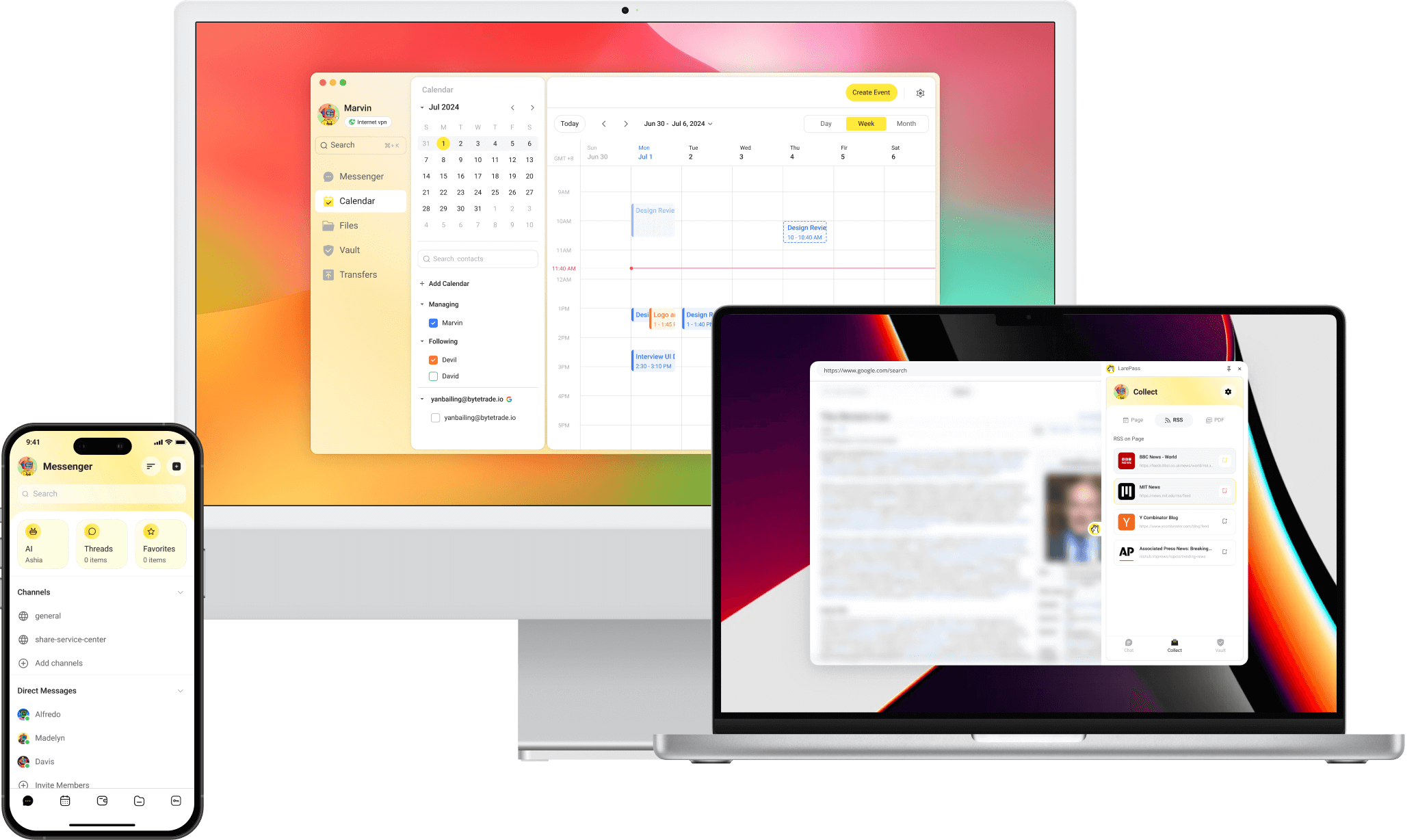
Key features
- Account and identity management
- Secure file access and sync
- Device and network management
- Password and secret management
- Knowledge collection
Download LarePass
iOS
Visit the App Store product page to download LarePass.
Android
Visit the Google Play product page, or download the latest APK directly from the LarePass website.
macOS & Windows
Download the latest desktop client from the LarePass website.
Chrome extension
The LarePass extension allows you to collect content and manage passwords directly from your browser. It currently supports Google Chrome only and must be installed manually.
Keep the extension folder
Your browser loads the extension from the folder you select. If you delete, move, or rename that folder, the extension will stop working.
Extract the ZIP file to a permanent location, such as a folder under your user directory, rather than a temporary directory.
- Visit the LarePass website and download the extension ZIP file.
- Extract the ZIP file to a permanent folder on your computer.
- In Chrome, go to
chrome://extensions/. - Enable Developer mode in the top-right corner.
- Click Load unpacked and select the extracted extension folder.
Quick access
After installation, click the puzzle icon in your browser toolbar and pin the LarePass extension for one-click access.
Set up account
- On mobile devices, you can create an Olares ID directly in the app.
- On the desktop client or Chrome extension, you must import an Olares account.
Feature comparison
| Category | Features | Mobile | Desktop | Chrome Extension |
|---|---|---|---|---|
| Account management | Create Olares ID | ✅ | ❌ | ❌ |
| Import Olares ID | ✅ | ✅ | ✅ | |
| Multi-account management | ✅ | ✅ | ✅ | |
| SSO login | ✅ | ❌ | ❌ | |
| Device & network management | Activate Olares | ✅ | ❌ | ❌ |
| View resource consumption | ✅ | ✅ | ❌ | |
| Remote device control | ✅ | ❌ | ❌ | |
| Manage VPN connections | ✅ | ✅ | ❌ | |
| Knowledge & file management | Sync files across devices | ✅ | ✅ | ❌ |
| Manage files on Olares | ✅ | ✅ | ❌ | |
| Collect webpage/video/podcast/PDF /eBook to Wise | ✅ | ❌ | ✅ | |
| Download video/podcast/PDF/eBook to Files | ❌ | ❌ | ✅ | |
| Add RSS feed subscription | ❌ | ❌ | ✅ | |
| Immersive translation | ❌ | ❌ | ✅ | |
| Backup your photos and files on phone | ✅ | ❌ | ❌ | |
| Secret management | Generate, share, and autofill strong passwords and passkeys | ✅ | ✅ | ✅ |
| One-time authentication management | ✅ | ✅ | ✅ | |
| Cookies Sync | ❌ | ❌ | ✅ | |
| 3rd-party SaaS account integration | ✅ | ❌ | ❌ | |
| Verifiable Credential (VC) card management | ✅ | ❌ | ❌ |