Curate your information hub with Wise
Wise is a local-first modern reader designed to turn scattered information into a personal information hub. As a core application within the Olares ecosystem, it serves as your central repository for managing digital content securely and efficiently.
Wise empowers you to build this hub through two main capabilities:
- Cross-platform content aggregation: Centralize your reading by integrating articles, videos, audio, and feeds from various sources into a single, distraction-free interface.
- One-click bookmarking: Save web pages directly to Olares using the LarePass browser extension, ensuring your content is always accessible and owned by you.
Install and open Wise
- Open the Market, and search for "Wise".
- Click Get, then Install.
- Once installed, open Wise from the Launchpad.
Understand the interface
The Wise interface is designed to help you organize and consume content efficiently.
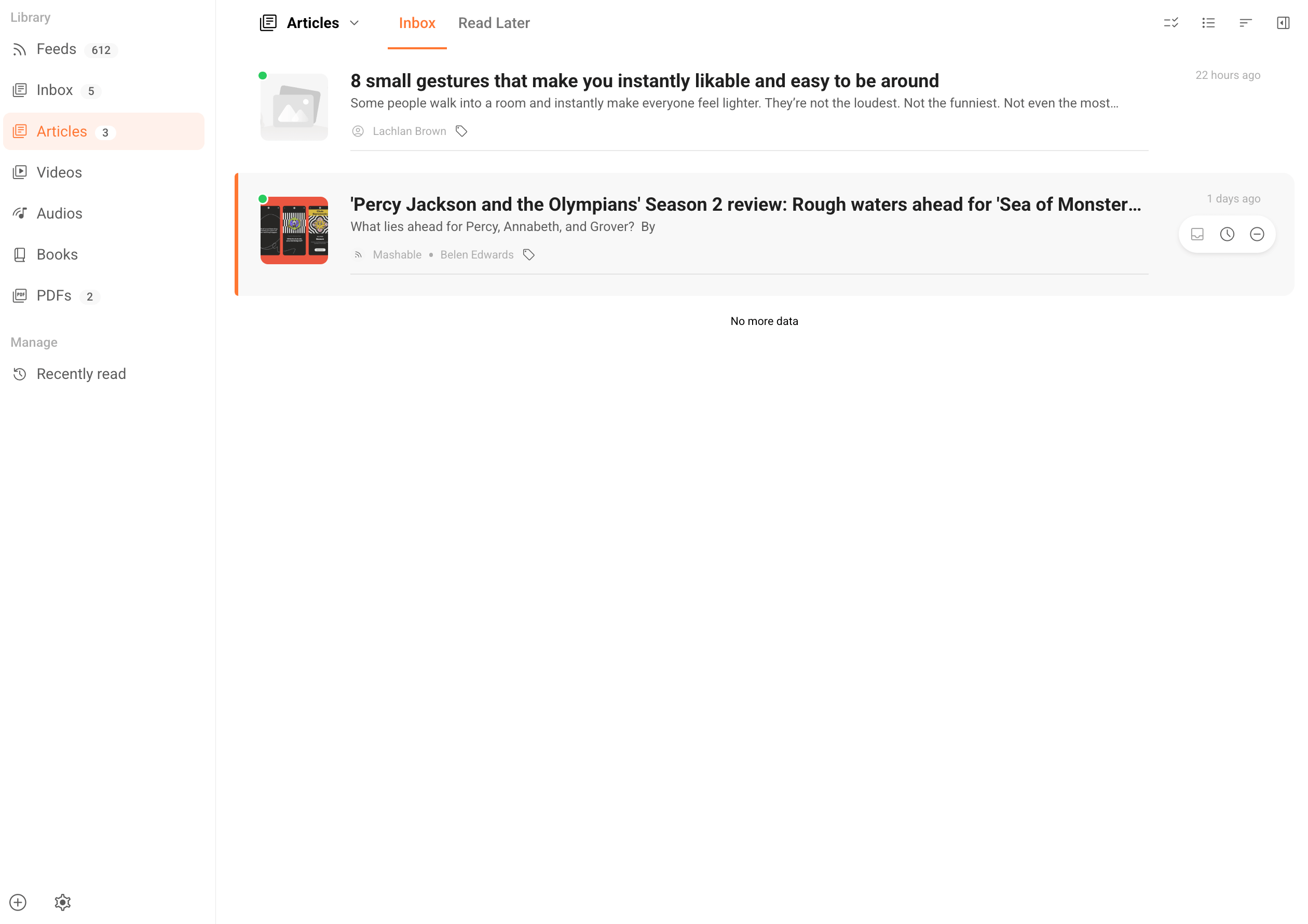
Sidebar navigation
The sidebar organizes your content into the following sections:
- Feeds: Contains your subscribed sources, including websites, blogs, and video channels.
- Inbox: Your central workspace for active content. It aggregates items from all sources, including saved web pages, uploaded files like PDFs or EPUBs, and feed items added to your library.
- Content types: Automatically categorizes your content by format, such as Articles, Videos, and Books.
Item status
Every item in Wise has a status that can be either Inbox or Read Later. You can change an item's status using the icons in the list view or the reader view.
- inbox Inbox: Your primary collection for content you want to read soon.
- schedule Read Later: Your backlog for content to revisit in the future.
Next steps
Explore the following guides to master your Wise workflow: