Manage files in Olares
Olares's built-in Files app offers users a secure and efficient solution for file storage and synchronization, allowing access to various file types from any device or browser. It has the following advantages:
- Access anywhere: View, download, or share files stored in Olares from any location using any device or browser.
- Seamless synchronization: Ensures data remains up-to-date across all your devices.
- Centralized storage: Simplifies information retrieval and integration, making it easier to access, manage, and update your data, whether personal documents or team-shared materials.
Understand the interface
The interface is similar to Windows Explorer or macOS Finder, allowing you to organize and access documents, images, videos, or any other files you own.
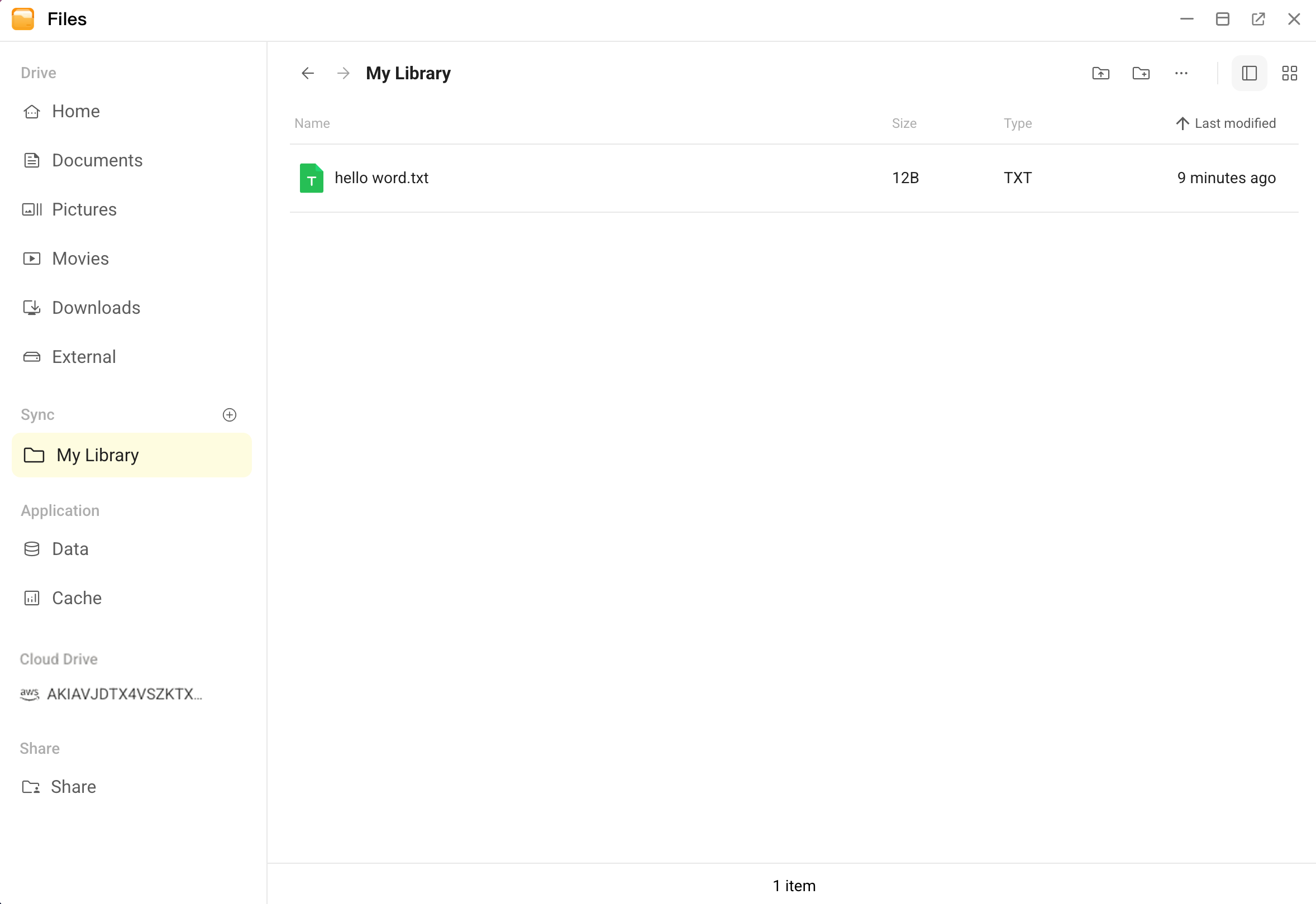
It mainly consists of the following components:
- Drive: Stores personal files that don’t require constant synchronization or frequent edits. Each user has a Home directory with default folders such as Documents, Pictures, Videos, and Downloads. External storage (e.g., USB drives or SMB shares) appears under External.
- Sync: A library-based high-efficiency storage area providing file synchronization services. You can create multiple independent libraries, each serving as a separate file entry point (similar to an independent cloud drive). Ideal for storing files and data requiring frequent modifications, real-time cross-device synchronization, or team collaboration.
- Application: Reserved for application-specific data. Primarily for development and debugging, not general file storage.
- Cloud storage: Connected through Integrations, including Google Drive, AWS S3, and Tencent Cloud Object Storage (COS). These allow you to link, access, and manage remote files directly from Olares.
- Share: The centralized hub for managing all shared folders, including Internal shares, SMB shares, and Public shares, allowing you to monitor sharing status, adjust permissions, or cancel shares in one place.