Access Olares via .local domain
When your computer or phone is on the same local network as Olares One, you can use a .local domain to reach your Olares services so traffic stays on your LAN.
Prerequisites
Hardware
- Olares One is set up and connected to your network.
- A client device (computer or phone) on the same network as Olares One.
LarePass (Required for Windows)
- The LarePass desktop client is installed on your Windows device.
- You have imported your Olares ID on the LarePass desktop client.
URL format
Use a multi-level .local hostname that mirrors your standard URL. This format works with Olares system apps and community apps.
TIP
Use http://, not https://, with the .local URL.
Standard URL
https://<entrance_id>.<username>.olares.comLocal URL
http://<entrance_id>.<username>.olares.localmacOS
No setup is needed. Use the local URL in your browser (for example, http://desktop.<username>.olares.local).
Windows
On Windows, .local hostnames are not resolved by default. Use the LarePass desktop app to add the necessary entries to your hosts file so multi-level .local URLs resolve to your Olares device.
Open the LarePass app, click your avatar, then Settings.
Scroll to Enable local service domain and click Add. LarePass will update your hosts file automatically.
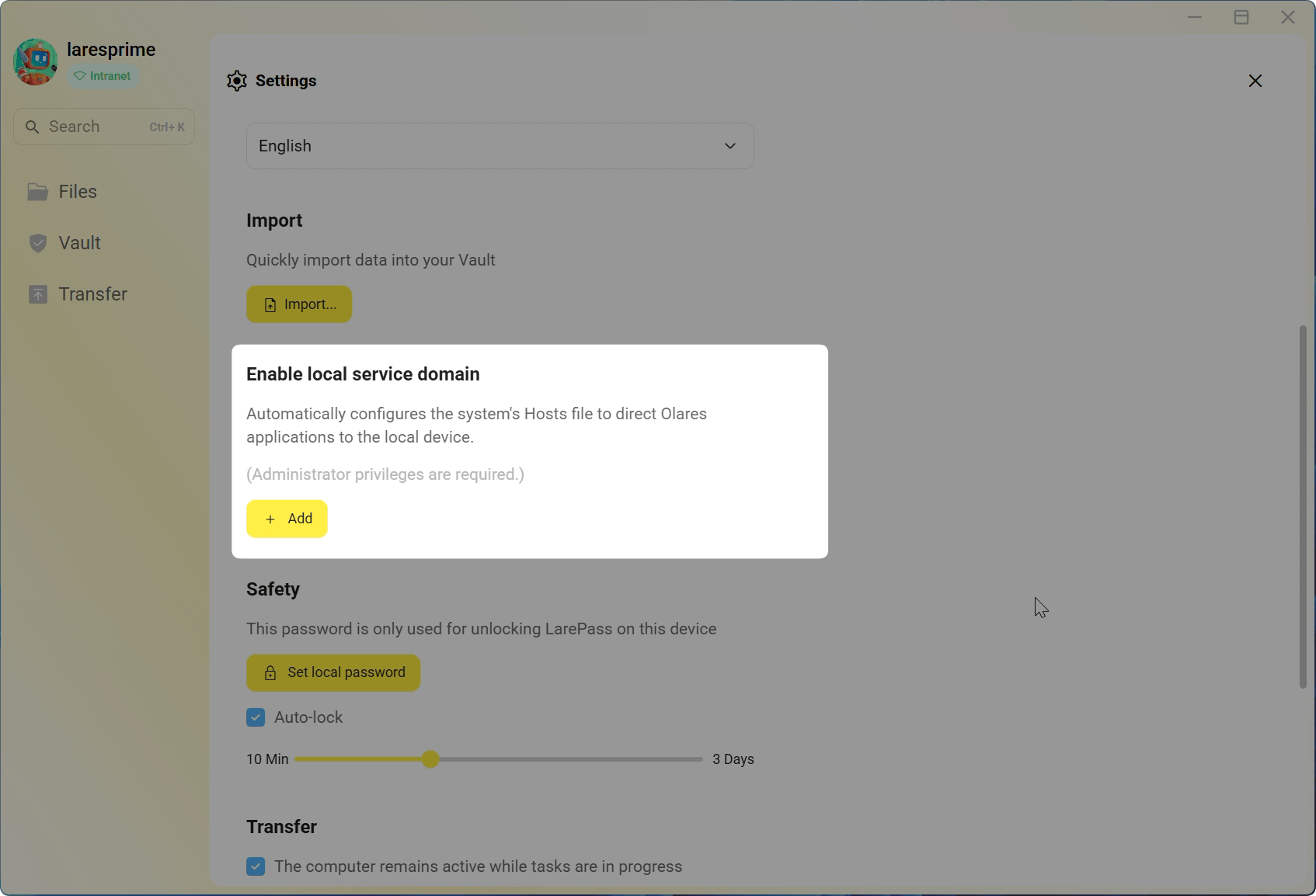
When the update completes, a success message appears. If a command line window opens, you can close it.
(Optional) To verify the changes to the hosts file:
a. Go to
C:\Windows\System32\drivers\etc\.b. Open the
hostsfile in a text editor. You should see the.localentries that LarePass added.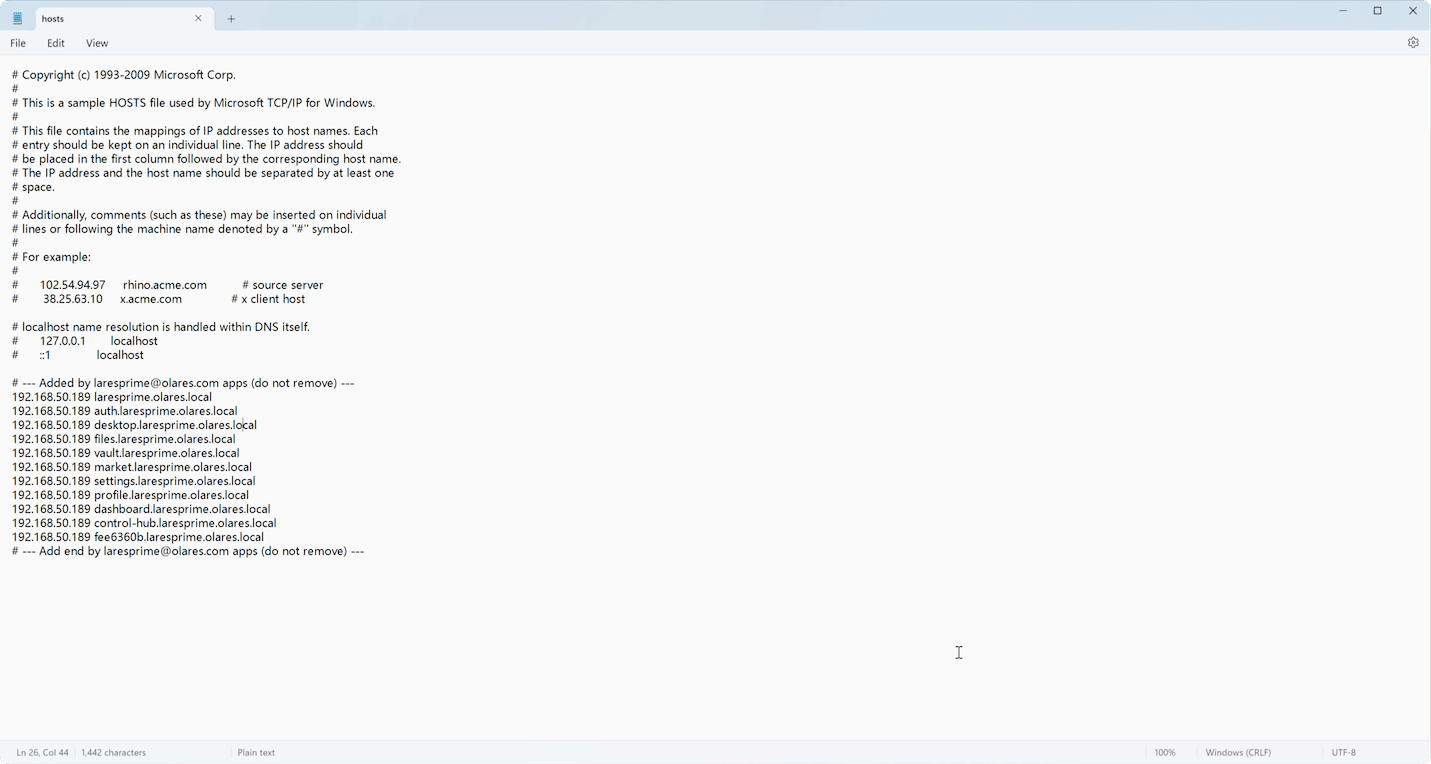
Troubleshooting
Why doesn't the .local domain work in Chrome on macOS?
Chrome may block local URLs if macOS has not granted it local network access.
- Open the Apple menu and go to System Settings.
- Go to Privacy & Security > Local Network.
- Find Google Chrome and Google Chrome Helper and turn their toggles on.
- Restart Chrome and try the
.localURL again.

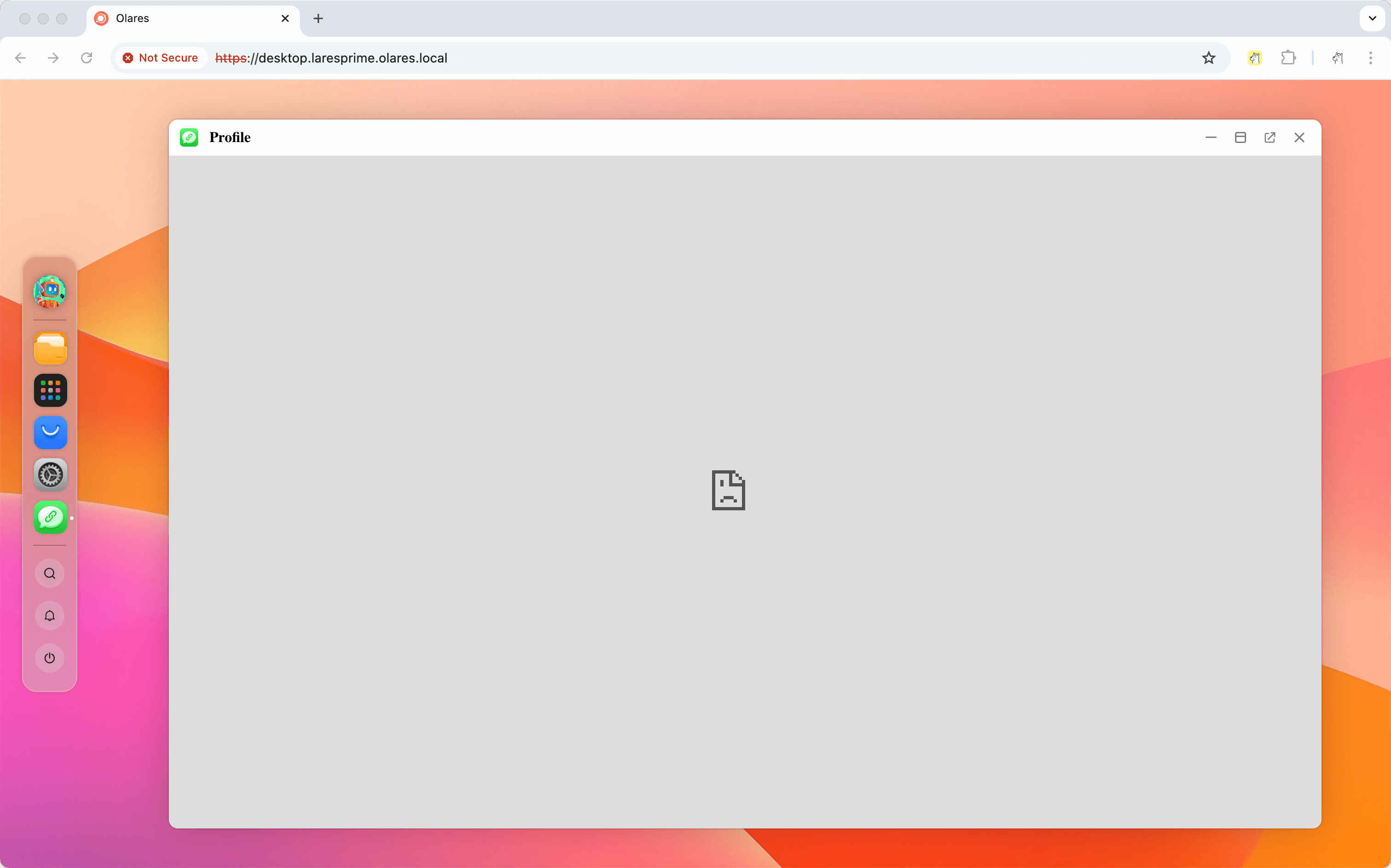
Why does the app show "connection not secure" or fail to load in Chrome?
Chrome sometimes forces HTTPS for .local hostnames, which is not supported.
Use http:// explicitly at the start of the URL (e.g. http://desktop.<username>.olares.local). On your home network, this unencrypted local connection is expected and keeps the .local domain working.
Why does the iframe flicker when I open a .local URL in Safari?
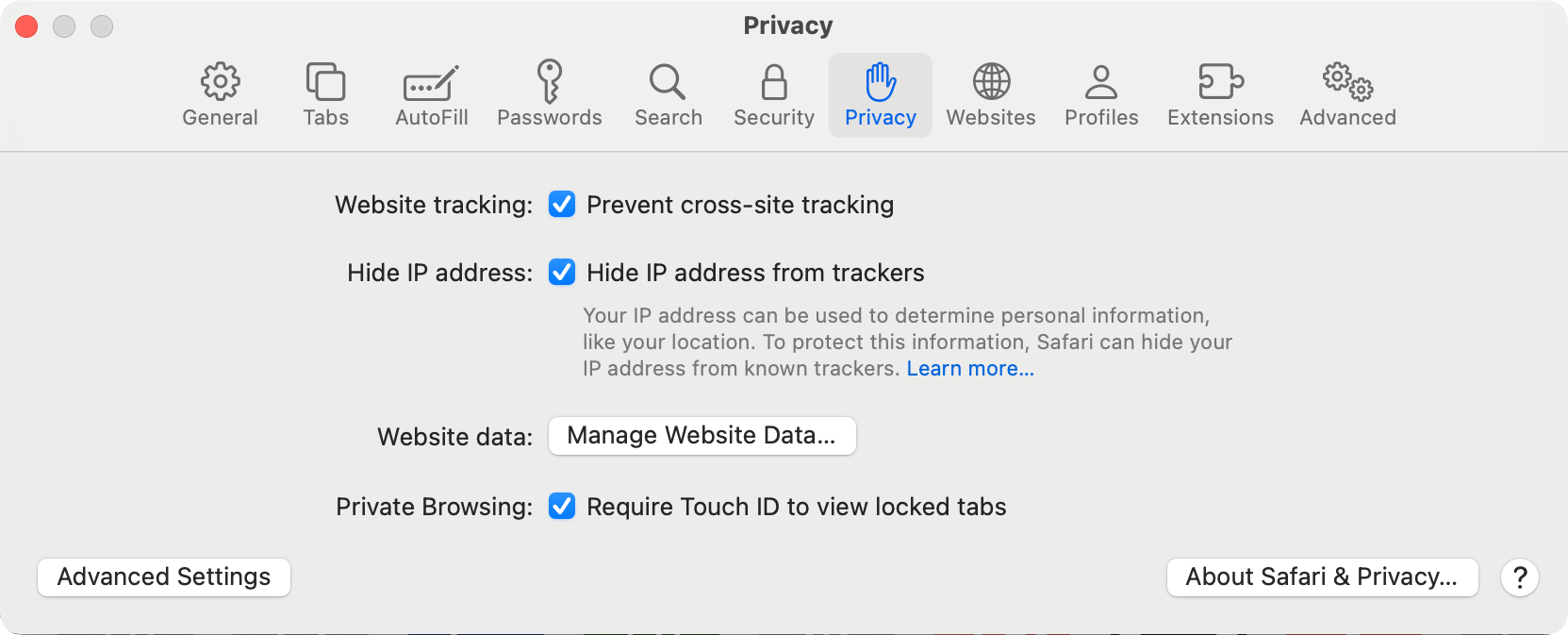
Safari applies stricter handling to .local (and other non-HTTPS) content in iframes, which can make the iframe flicker or reload. Enabling two options in Privacy settings fixes it.
To fix it:
Open Safari and go to Settings.
Open the Privacy tab.
Enable the two options:
- Prevent cross-site tracking
- Hide IP address from trackers
Reload the
.localpage.
Learn more
- Access Olares services locally: DNS configuration, hosts file, and other local access methods.