Restore BIOS defaults 10 min
Restoring BIOS defaults resets the firmware configuration and returns your Olares One to its initial setup state. If you have a monitor and keyboard connected, you can perform this directly in BIOS.
Data loss
This will permanently delete all accounts, settings, and data on the device. This action cannot be undone.
Prerequisites
Hardware
- A wired keyboard connected to your Olares One.
- A monitor connected to your Olares One.
Step 1: Load optimized defaults in BIOS
Power on Olares One or restart it if it is already running.
When the Olares logo appears, immediately press the Delete key repeatedly to enter BIOS setup.
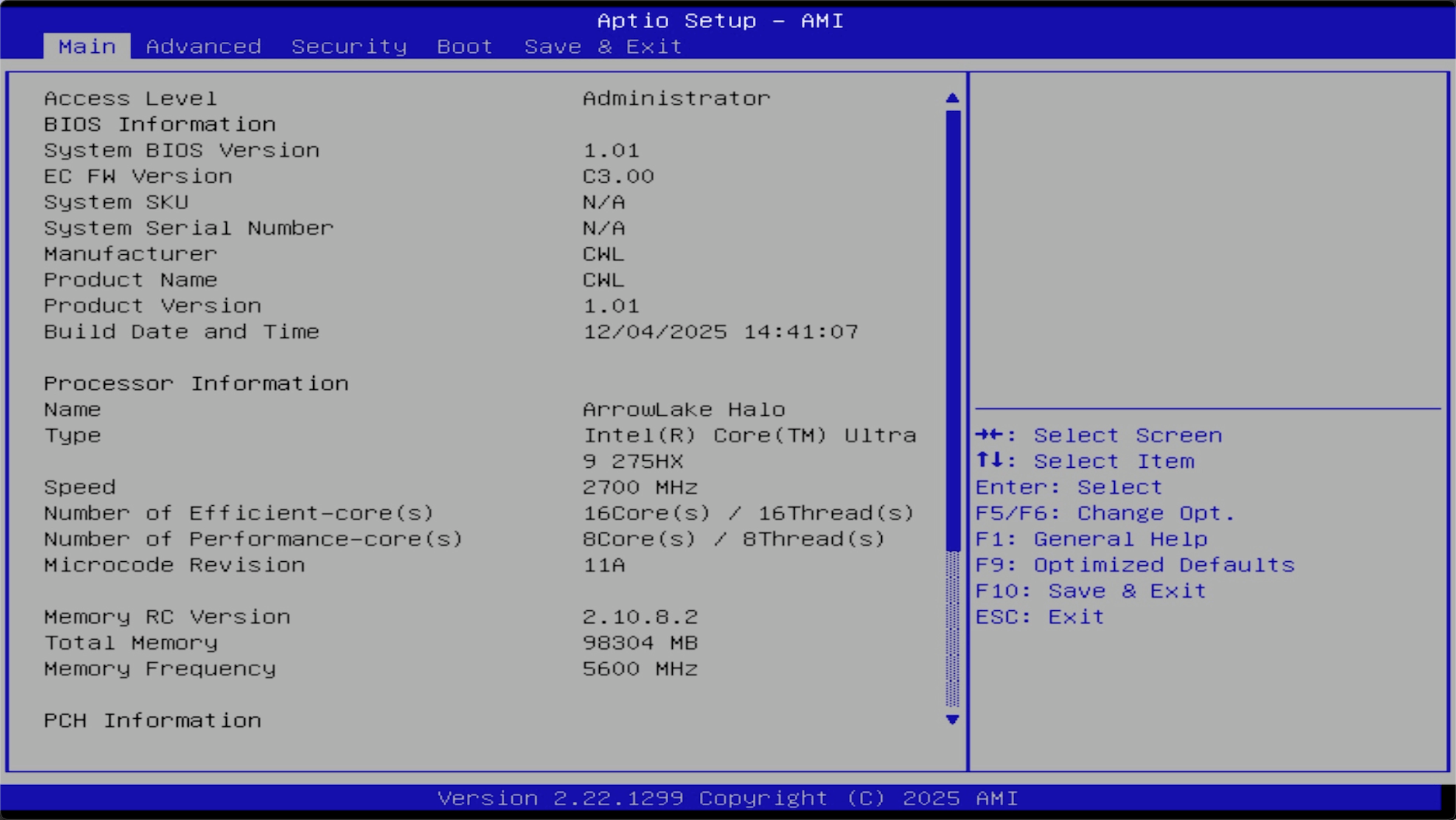
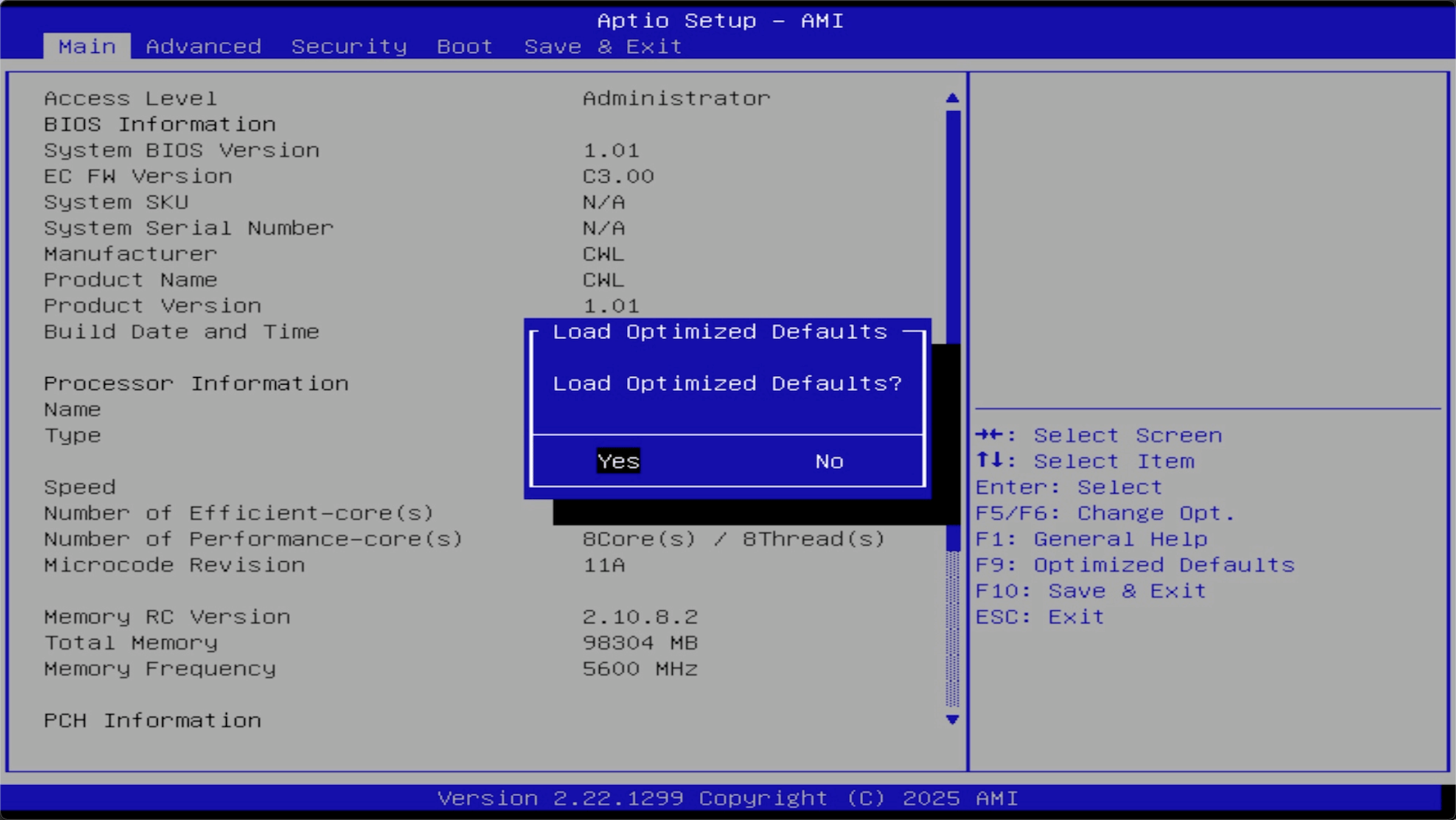
Press F9, then select Yes to restore factory settings.
Press F10, then select Yes to save and exit. The device restarts automatically.
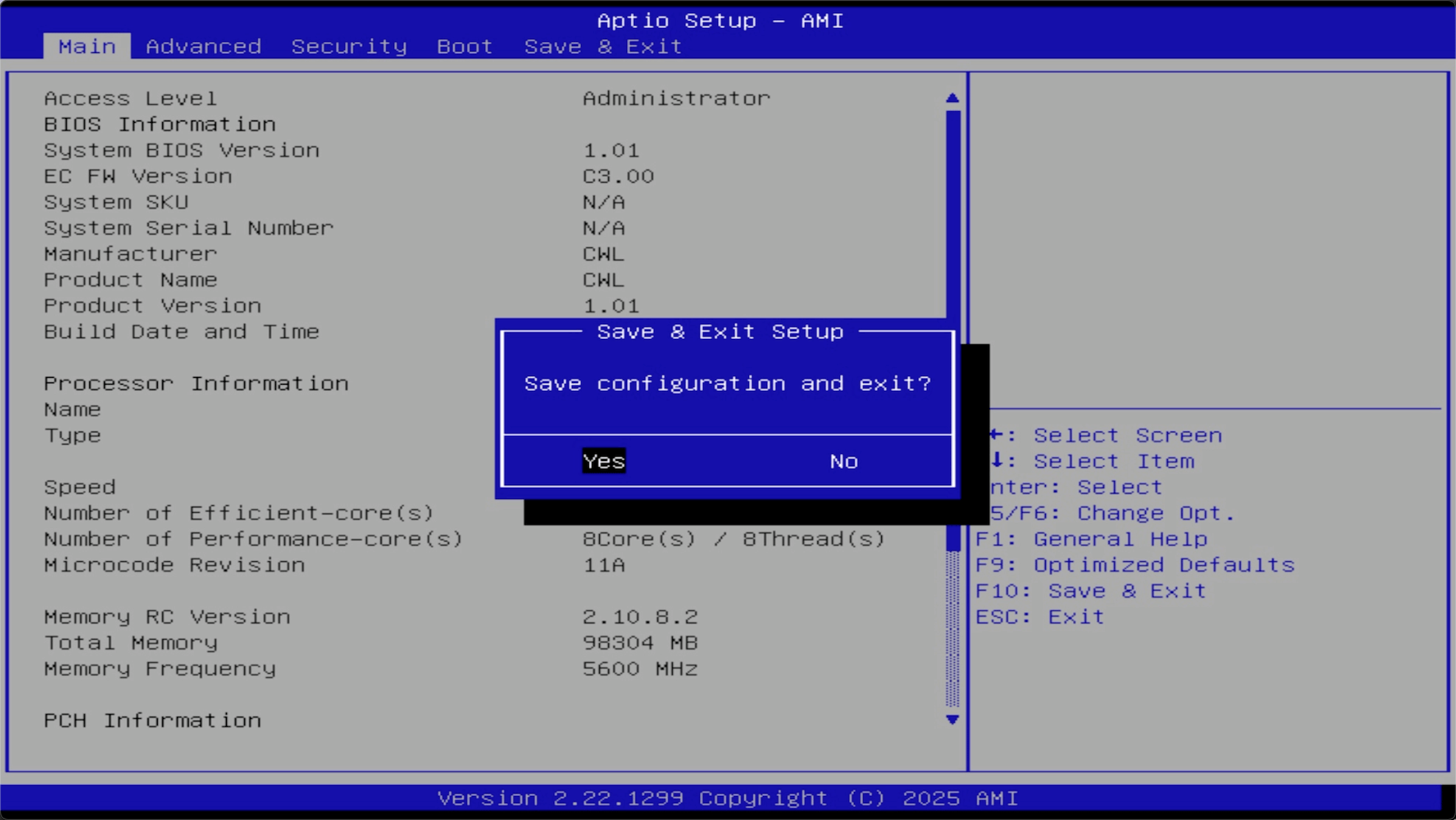
Once finished, Olares One reboots into the initial setup phase.
Step 2: Complete activation via LarePass
You can then activate Olares One again via LarePass. For detailed instructions, see First boot.