Redeem Olares Space membership
Depending on your purchase channel such as the Kickstarter campaign, your Olares One package might include an Olares Space Membership card. This card grants you a complimentary 2-year Basic membership to use the enhanced connectivity services provided by Olares Space.
Olares One is a one-time purchase
Your Olares One hardware and system updates are free forever.
Olares Space is completely optional, so you are never locked in. If you choose not to renew your membership after the complimentary period ends, your use of Olares One will not be affected in any way.
Before you begin
Olares Space is a secure connectivity platform that extends the capabilities of your local device without compromising data sovereignty. The Basic plan includes:
- Cloud backup: Up to 50 GB of integrated cloud storage for critical data redundancy. The free alternative is to back up your data to a local external drive or your own S3-compatible storage provider.
- Remote access (FRP): High-speed remote connection with 50 GB of monthly traffic at speeds up to 50 Mbps. This includes access to regional acceleration nodes for faster response times. If you exceed the monthly quota, speed is throttled to 5 Mbps. The free alternative is to use the LarePass VPN or host your own FRP server.
Log in to Olares Space
Go to https://space.olares.com.
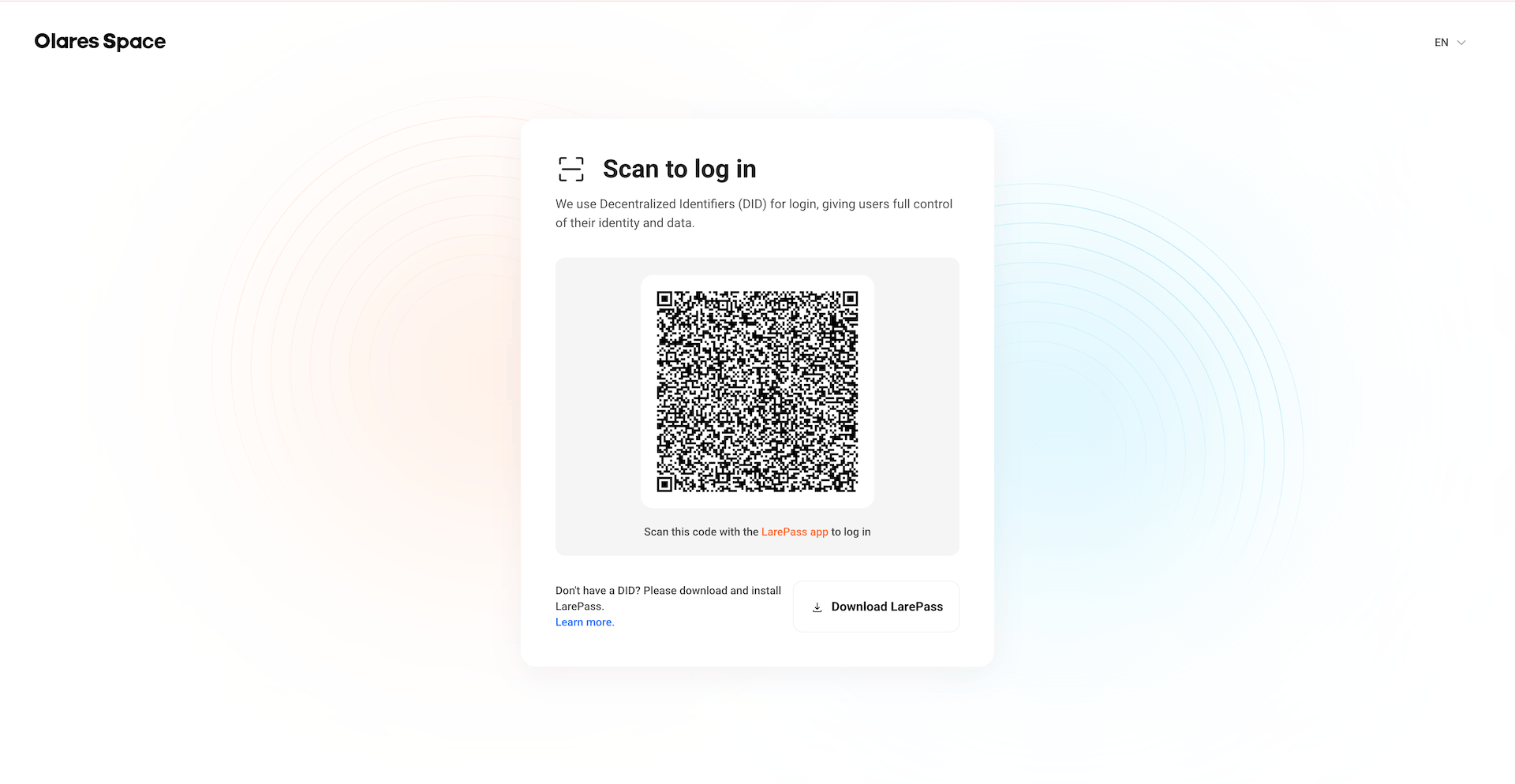
Open the LarePass app on your mobile and log in using your Olares ID.
Go to the Settings tab, and then tap the scan icon.
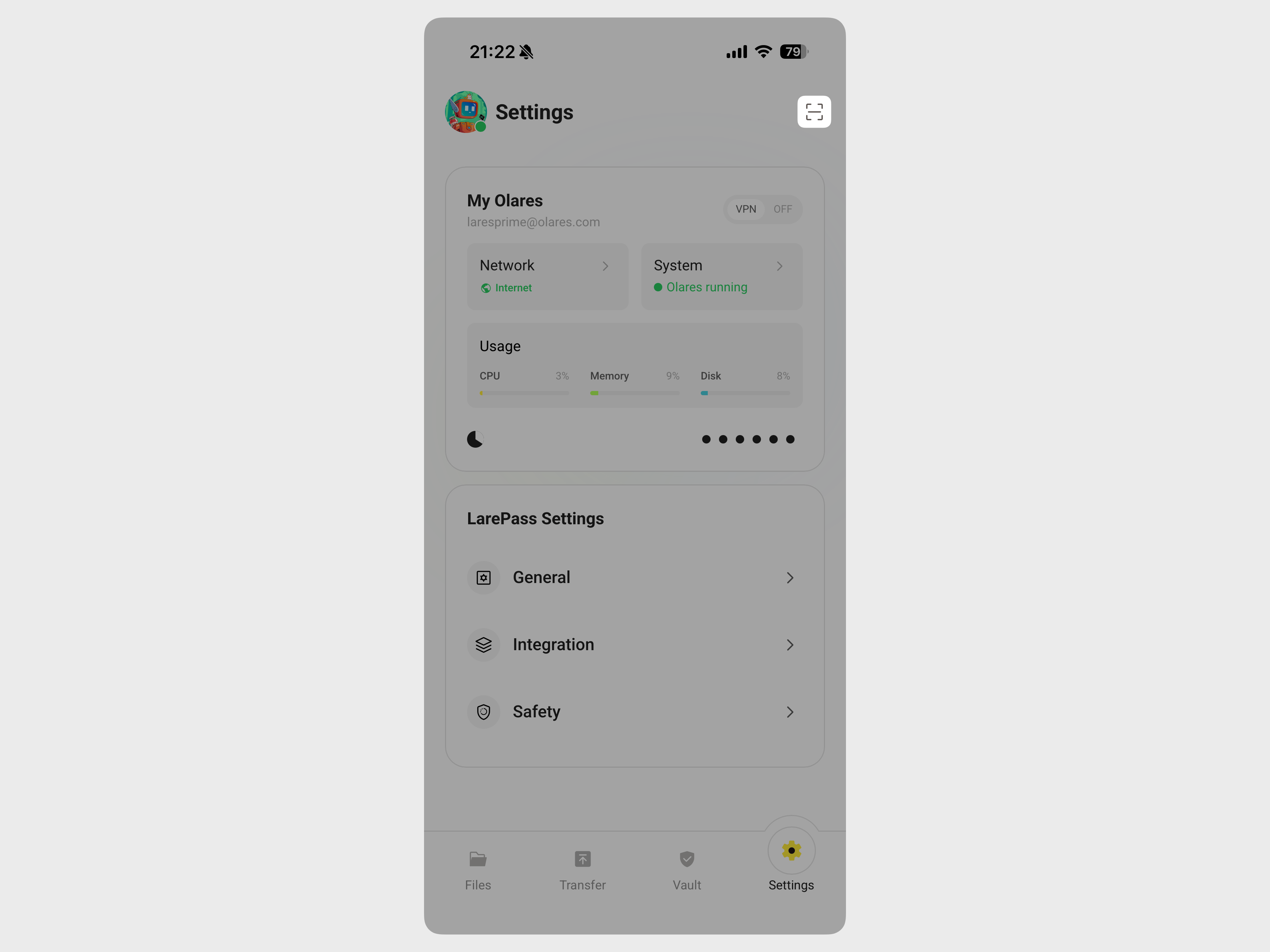
Scan the QR code on the computer screen and tap Confirm.
Now you have logged in to Olares Space using your Olares ID.
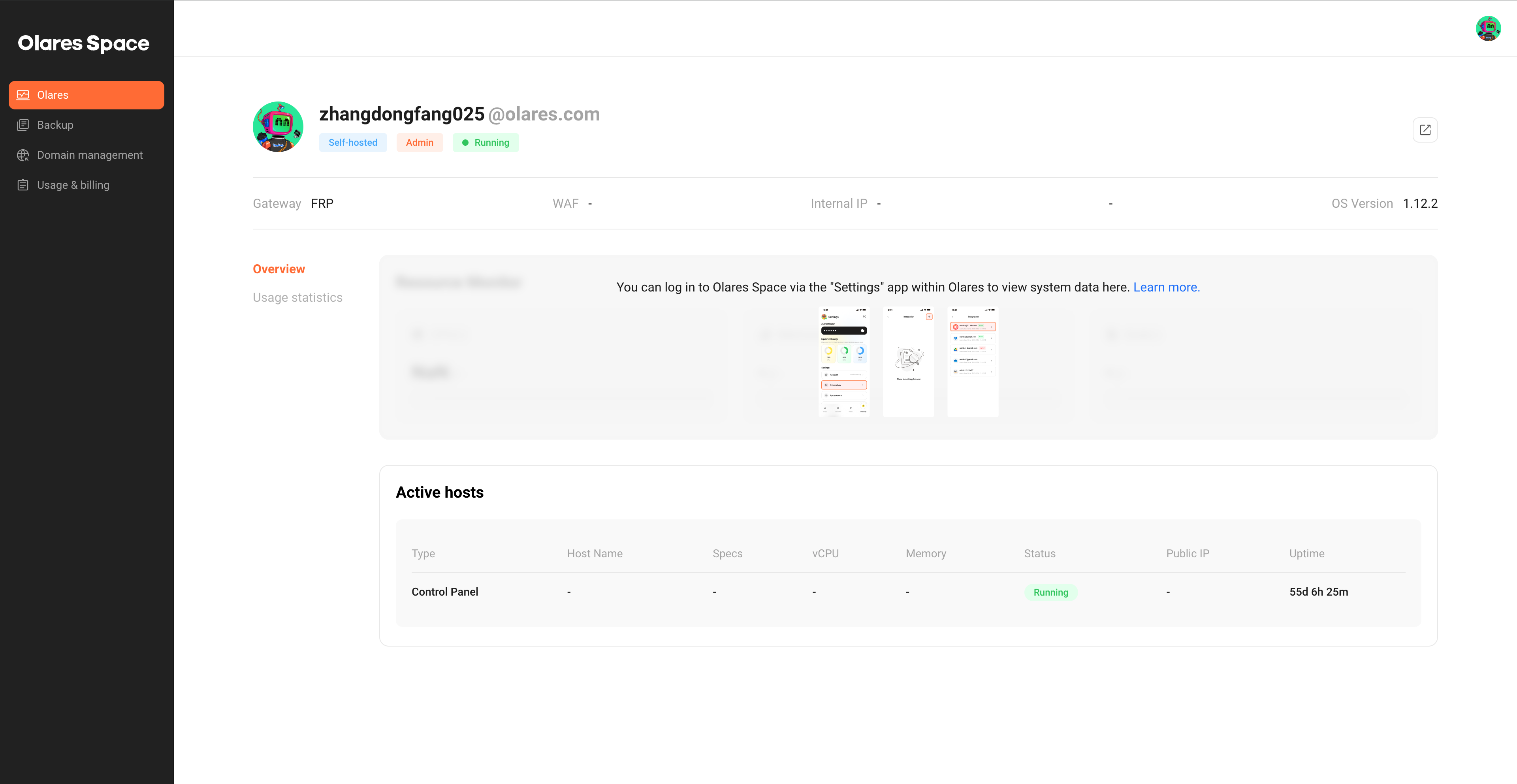
Redeem Basic plan
INFO
The 2-year validity period begins the moment you successfully bind your email to an Olares ID.
To redeem the Basic plan benefits, you must link your account to the email address associated with your purchase order using the Olares Space dashboard. For example, the email associated with your Kickstarter order.
In Olares Space, from the left navigation pane, click Usage & billing.
On the Account email tab, click Email address.
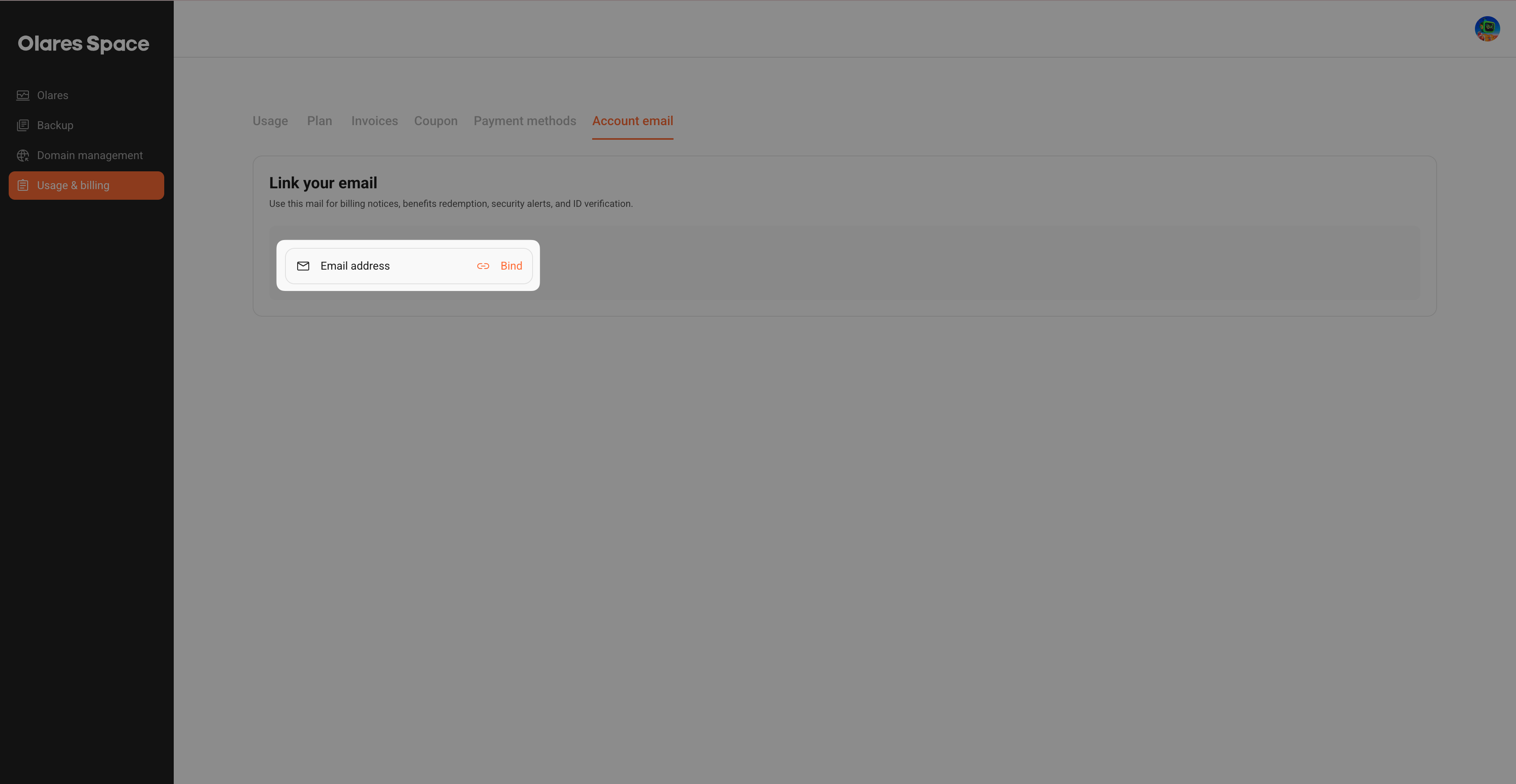
In the Add email window, enter the email address used for your purchase order.
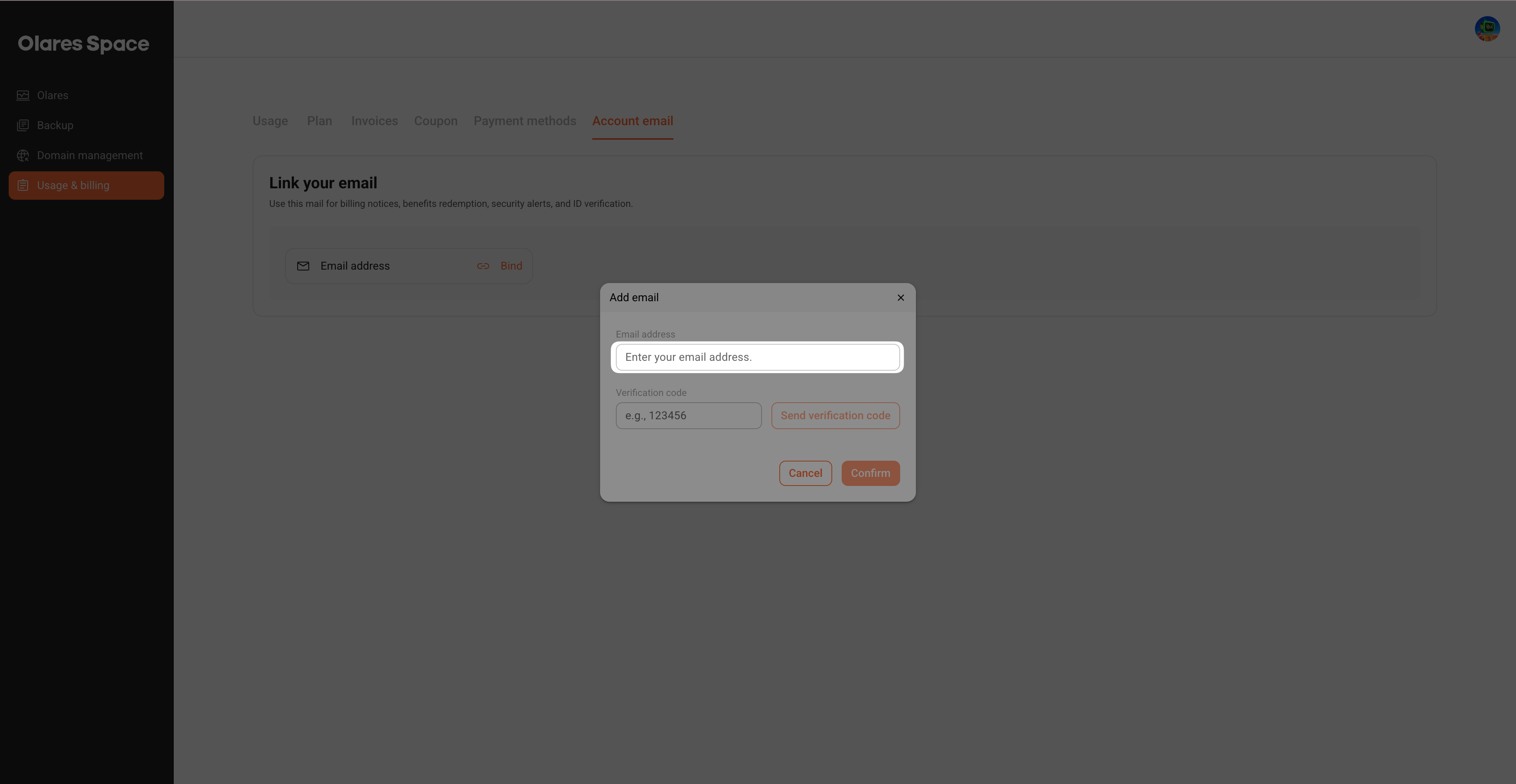
Click Send verification code.
Follow the on-screen instructions to complete the verification.
TIP
If you do not see the email in your inbox, try checking your Spam or Junk folders.
A notification message will confirm that the email was added. Your account immediately upgrades to the Basic plan, and the 2-year validity period begins.
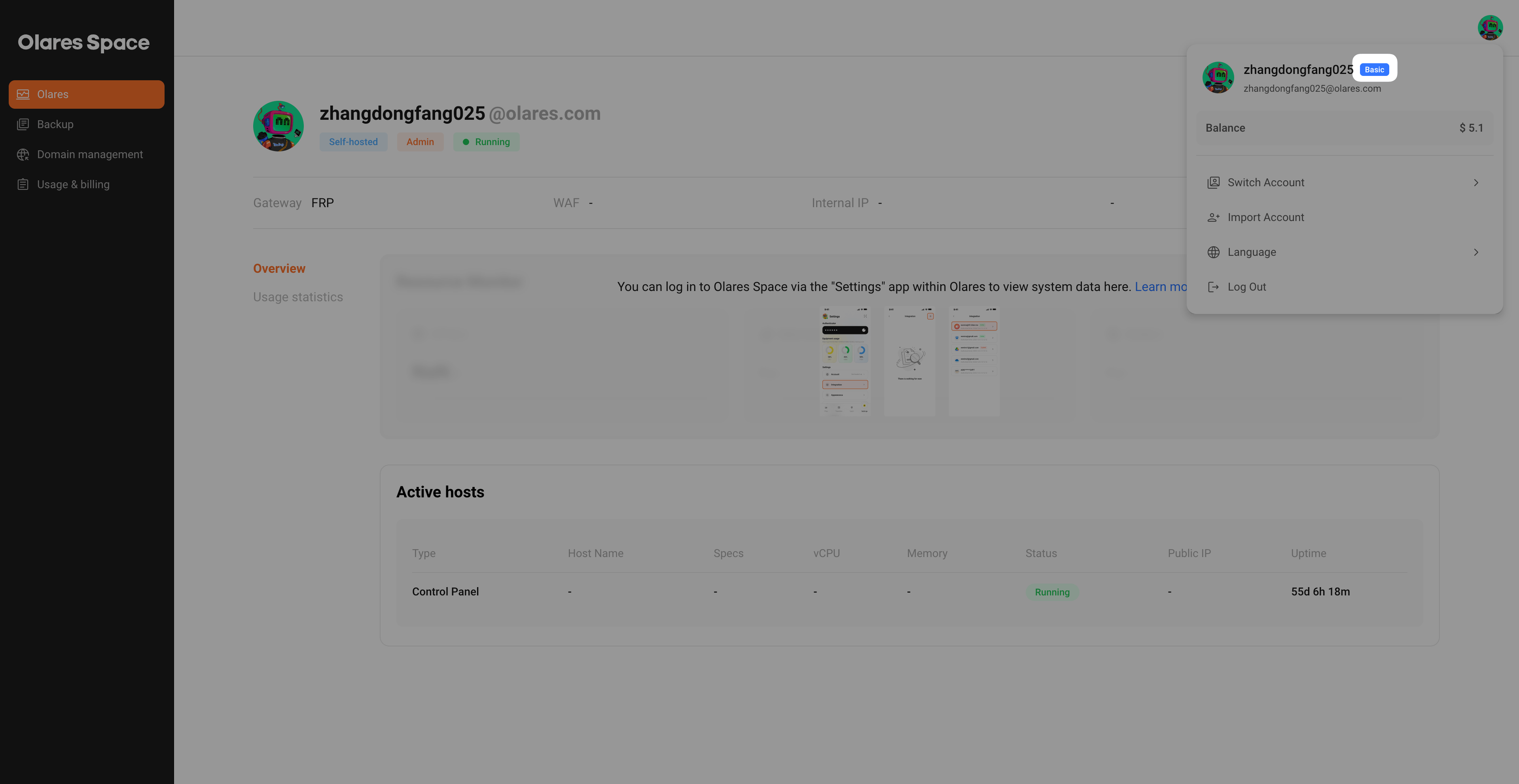
Click your avatar in the upper right corner. A Basic tag appearing next to your username confirms that your membership is active now.
Transfer membership to a different Olares ID
Validity period adjustment
Transferring your membership to a new Olares ID reduces your remaining validity period by one month. If you transfer multiple times within the same calendar month, the deduction only occurs once.
Changing bound email
The Basic membership is tied strictly to the specific email address used for your purchase order. If you change the email, the current account loses the Basic membership immediately.
If you want to transfer your Basic membership to a new Olares ID:
Log in to Olares Space with your old Olares ID.
Go to Usage & billing > Account email.
Click Unbind to remove the purchase order email from the account email settings.
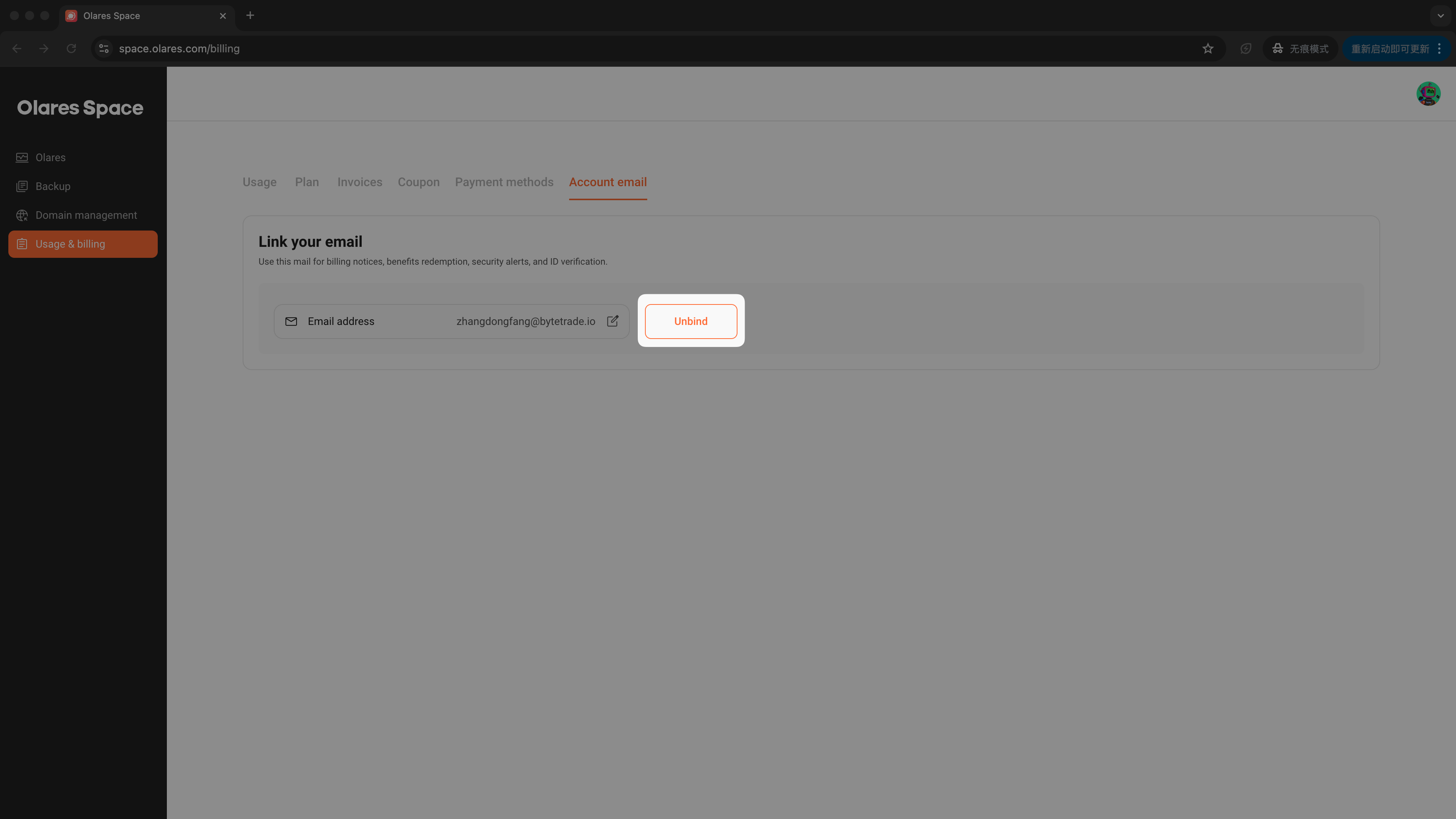
Click Send verification code.
Follow the on-screen instructions to complete the verification.
A notification message will confirm that the email was removed. The current account changes to the Free plan immediately.
Log in to Olares Space with the new Olares ID.
Bind the purchase order email using the steps in the Redeem Basic plan section. This will upgrade the new Olares ID to the Basic plan immediately.
FAQs
What happens if I unlink my email?
Your email is linked to the Olares One complimentary Basic plan. If you unlink it:
- The current account downgrades to the Free plan immediately.
- All Basic plan benefits end on this account.
- The validity period continues counting down.
Can I regain access if I have unlinked my email?
Yes, you can regain access to the remaining validity by re-linking the same email before it expires. The remaining validity continues to elapse in all cases, but whether a deduction applies depends on the account you link:
- If you link to another Olares ID: That ID will receive the benefits, with 1 month deducted from the remaining period. Multiple transfers within the same calendar month are only deducted once.
- If you re-link to the same account: The remaining validity is restored without any deduction. It simply decreases as time passes.
What happens if I switch to Free plan?
If you're on the Olares One complimentary Basic plan and manually change to the Free plan:
- All Basic plan benefits end on this account immediately.
- The validity period continues counting down.
You can upgrade back to Basic on the current account for free anytime before the validity expires:
- Go to Usage & billing > Plan.
- Click Change.
- Select Basic and confirm. Your account will be restored to the Basic plan.
What happens when my 2-year Basic membership ends?
When your complimentary Basic plan expires:
- Your account automatically downgrades to the Free plan.
- All Basic plan benefits end.